Start with the maintained PsyFlow workflow.
Install the framework, scaffold a local task package, then run QA and validation before release.
These are the commands that matter most on the current main branch. The site now stays aligned with the maintained local runtime instead of the older Sphinx-era flow.
pip install psyflowInstall the framework first.
psyflow init my-taskCreate a canonical task package.
psyflow-run task-pathLaunch the task in human mode.
psyflow-validate task-pathLint contracts, configs, and references.
psyflow-qa task-path --config config/config_qa.yamlSmoke-test and validate QA outputs.
psyflow-sim task-path --config config/config_scripted_sim.yamlRun a scripted or task-specific simulation profile.
TAPS keeps the full task structure readable.
Instead of scattering docs, config, runtime code, and QA artifacts across unrelated places, TAPS keeps them attached to the same task package.
README carries the task story, setup notes, and review context without forcing readers into the code.
Metadata and config stay structured, so QA, previews, and downstream tooling can reason over the task.
Outputs, references, and release evidence remain beside the source package instead of drifting away.
Keep the framework opinionated where reviewability matters.
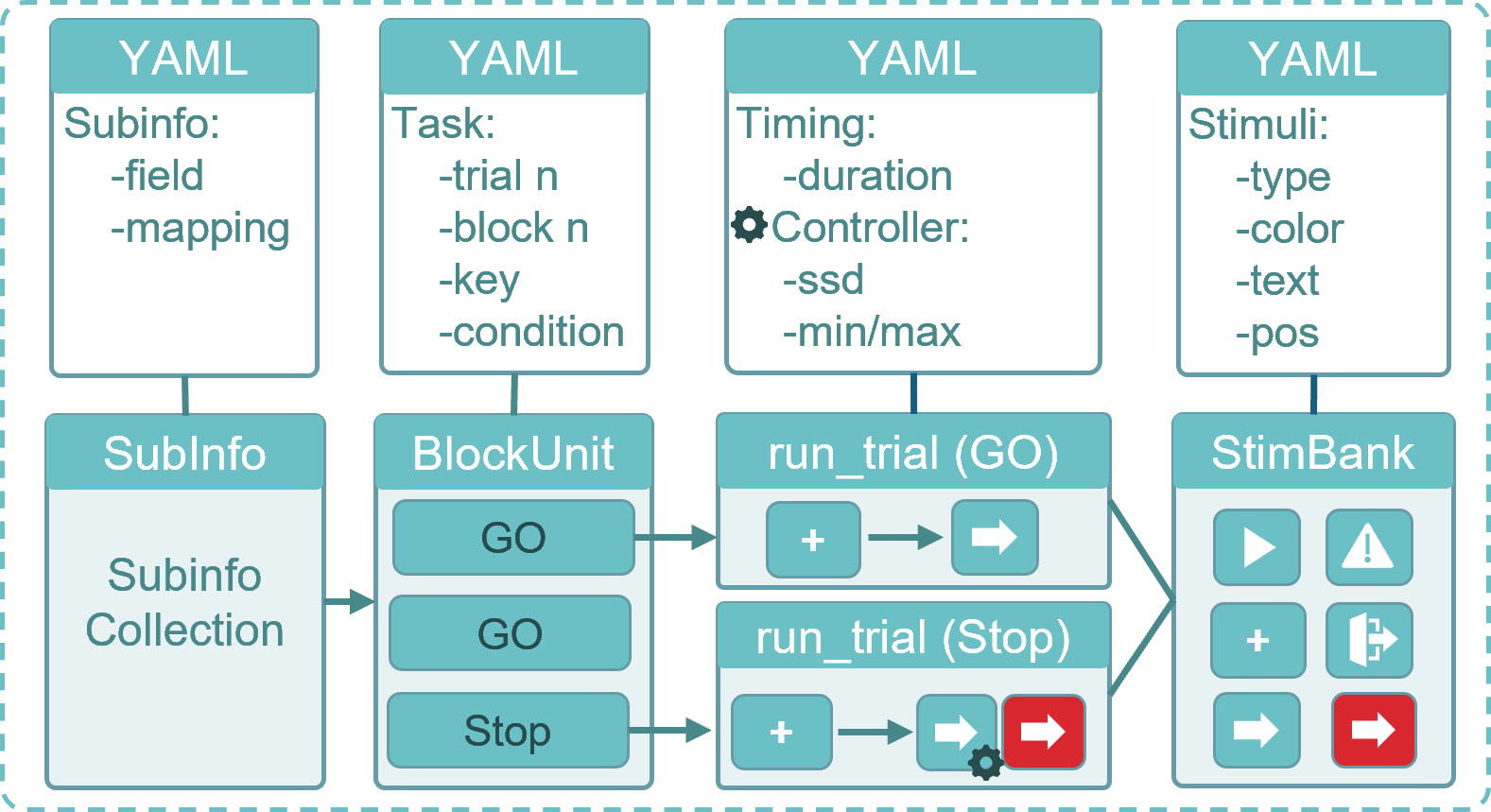
PsyFlow is designed around a few stable primitives: `BlockUnit`, `StimBank`, `StimUnit`, `SubInfo`, and `TaskSettings`. The goal is not abstraction for its own sake, but a task runtime that stays readable when the paradigm grows.
Keep generic runtime work inside the framework, but keep paradigm logic close to the task. That split is what makes larger tasks easier to test, localize, and review.
The task emits semantic events. The runtime and drivers own delivery.
Trial code should name cue, target, feedback, or custom events instead of embedding serial logic.
The runtime decides `now` versus `flip`, capability checks, and planned or executed logging.
Mock, callable, serial, and fanout drivers stay outside task logic so hardware can change cleanly.
Keep QA simple: run, inspect artifacts, validate, then release.
psyflow-qa task-path --config config/config_qa.yamlRun smoke QA and inspect qa_report.json, trace, and events.
psyflow-sim task-path --config config/config_scripted_sim.yamlUse scripted or task-specific responders without coupling simulation to PsychoPy.
psyflow-validate task-pathCheck contracts, configs, reference artifacts, and runtime text policy.
Start with the few tutorials that matter most.
Get started first, then go straight to Trigger and QA if you are building or reviewing a real task.